2023
Overview
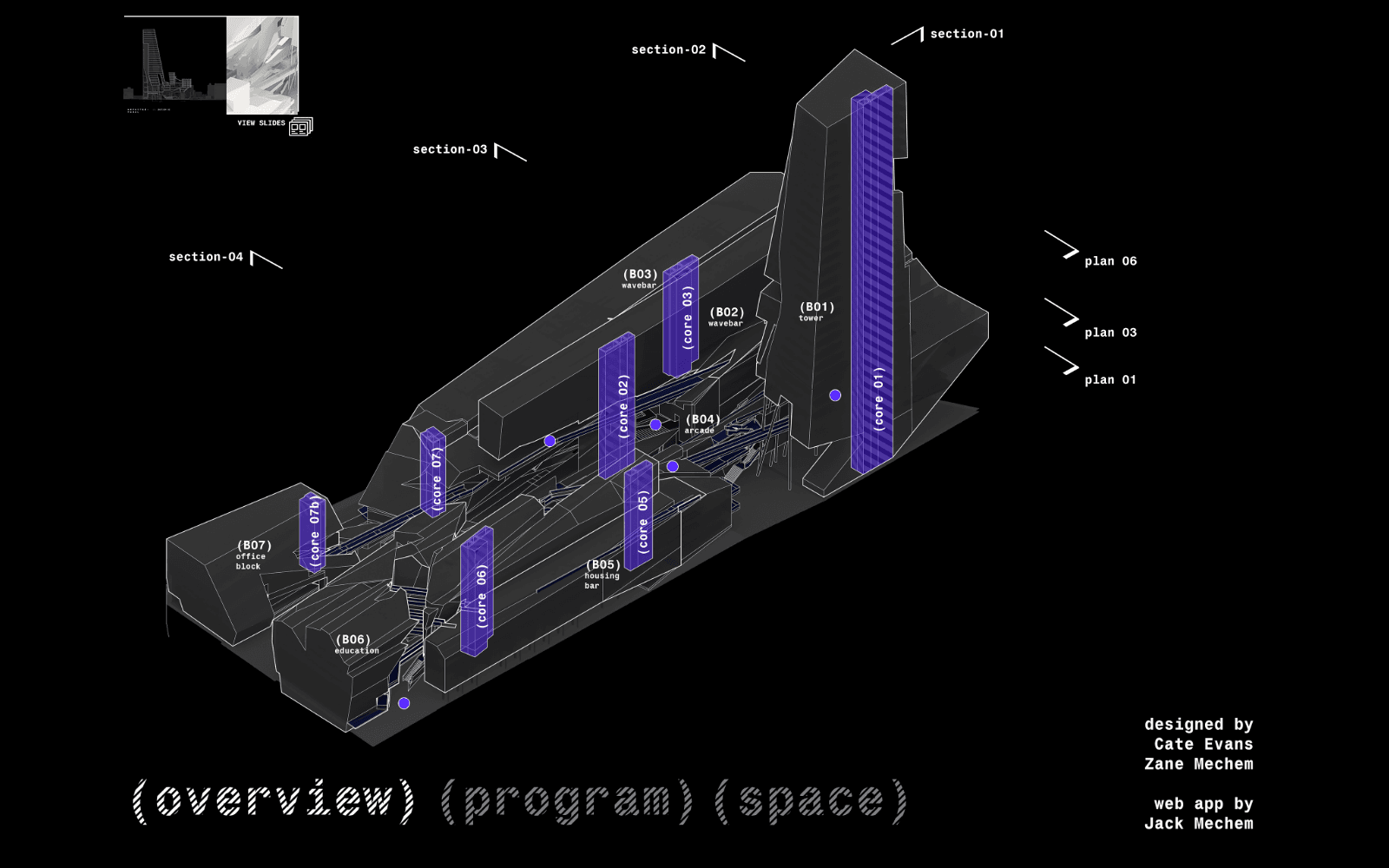
Vachegowanus is a site I built for Zane Mechem to present a set of architectural drawings: plans, sections, renderings and five 360° panoramas. The README states the goal as presenting the images as efficiently as possible. My approach was to use the plan itself as the navigation, so every image is reached from the spot in the drawing it belongs to.
What I built
It's a React single-page app (Create React App, React Router) with three.js through react-three-fiber for the panoramas. It's deployed on Firebase Hosting.
- The plan is the menu. The main page is a large plan drawing under an SVG overlay with a fixed 1728×1260 viewBox, so the hit areas scale with the drawing. Circles mark the panorama viewpoints, and traced polygons cover the parts of the building.
- Hover to preview. Hovering a region shows its image over the plan at 75% opacity and hides the markers, so you see what's there before committing to it.
- Click to open. A viewpoint opens its panorama on its own route. A building region opens its plan or section full-screen in an overlay with a close button. A "view slides" button opens the full presentation in an embedded viewer.
Making hover feel instant
Hover previews only work if the image is there the moment the pointer arrives. If each preview started loading on mouseover, the first pass over the plan would flicker through half-loaded images. On mount, the main page creates an Image object for every preview and overlay drawing, about thirty files, so the browser fetches and caches them up front. After that, every hover and click is served from cache.
360° panoramas
Each panorama is a large equirectangular render, around 12 to 15 MB. To view one, I map it onto the inside of a sphere and put the camera at the center:
<mesh>
  <sphereBufferGeometry attach="geometry" args={[500, 60, 40]} />
  <meshBasicMaterial attach="material" map={texture} side={THREE.BackSide} />
</mesh>
OrbitControls has zoom and pan turned off, so the only motion is looking around. Damping and a slow auto-rotate make the view drift until you grab it. A negative rotate speed makes dragging feel like turning your head, not spinning a globe. The texture loads inside Suspense behind a loading screen, because these files take a moment.
What I learned
This was an early project, and the repo shows it. The README admits it is "filled with obsolete components", including a three.js model viewer I experimented with that never made it into the routes. What held up was the core idea: let the drawing be the interface, and do the loading work before the user asks for it.